 VGarage
Fill-ups in seconds
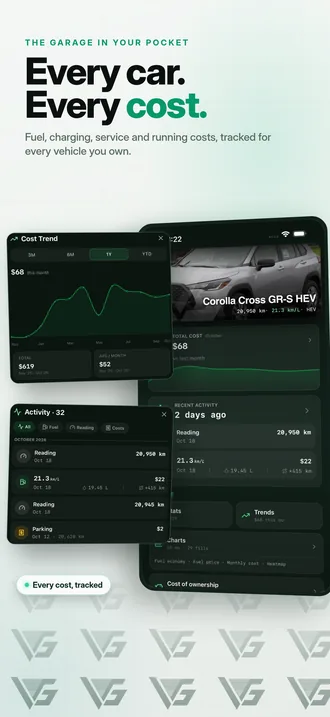
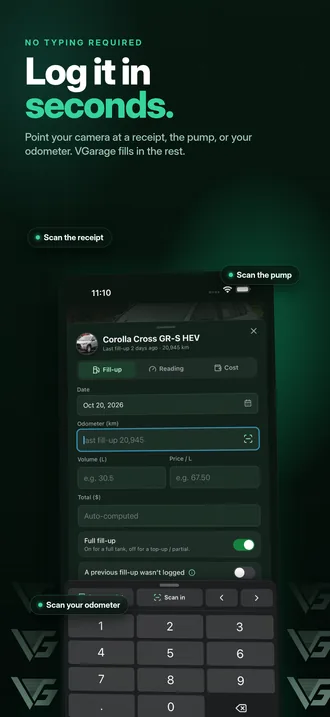
Type the odometer, volume and price, or scan the receipt or the pump display. On iPhone the scan runs on the device, so the photo stays on your phone.
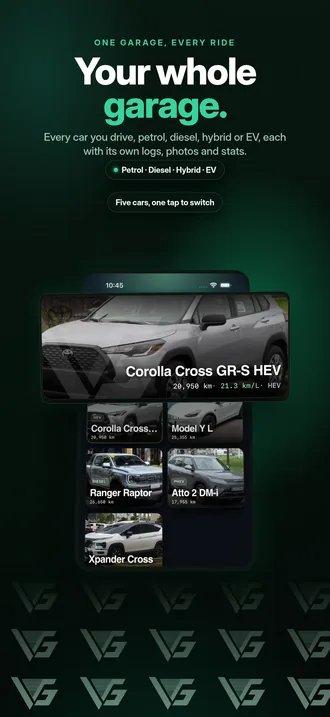
VGarage keeps your fuel, charging, services and running costs in one garage on your iPhone, and shows what each car really costs to run. Petrol, diesel, hybrid or EV.
Coming from Fuelly, Drivvo or Fuelio? Bring your history with you.
Log it in seconds, then see your economy, your spending and your real cost per kilometre.
Type the odometer, volume and price, or scan the receipt or the pump display. On iPhone the scan runs on the device, so the photo stays on your phone.
Log fuel and charging (kWh, at home, public AC or DC fast). A plug-in hybrid keeps both, with km/L and km/kWh side by side.
Oil changes, tires, registration, insurance, parking, tolls: every cost by car and category, plus odometer readings in between.
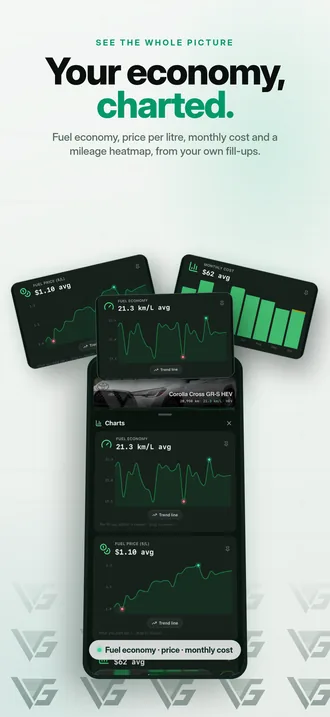
Fuel economy, price per litre, monthly spend and a mileage heatmap, from your own fill-ups. Share any chart as an image.
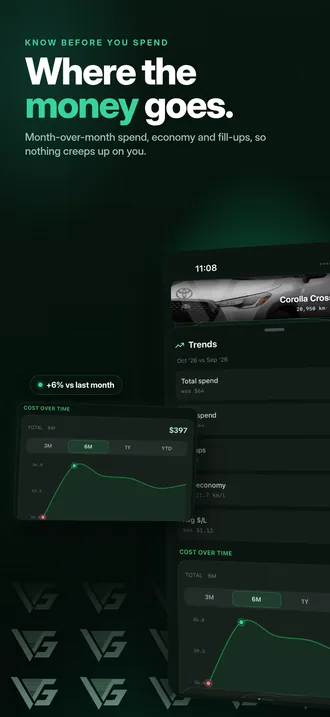
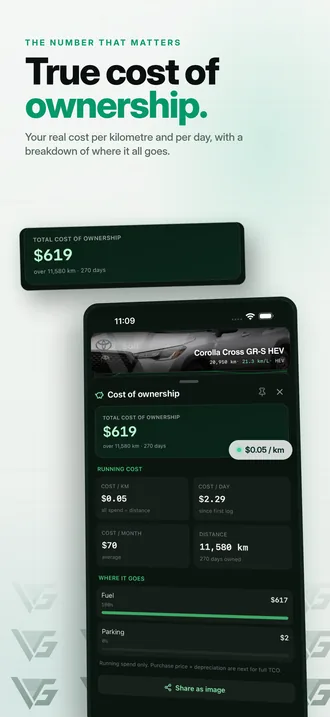
Your running cost per kilometre and per day, and where the money goes.
Service and renewal reminders by date or odometer, repeating every few months or kilometres. Date reminders notify you on your iPhone.
See whether your car is coded today from the plate's last digit, in the app and on a Home Screen widget (iOS 17+). Optional alerts the night before and that morning.
Invite family by email as an editor or a viewer, so everyone logs into the same garage. Needs sign-in.
Gas stations and EV chargers around you, from OpenStreetMap and Open Charge Map.
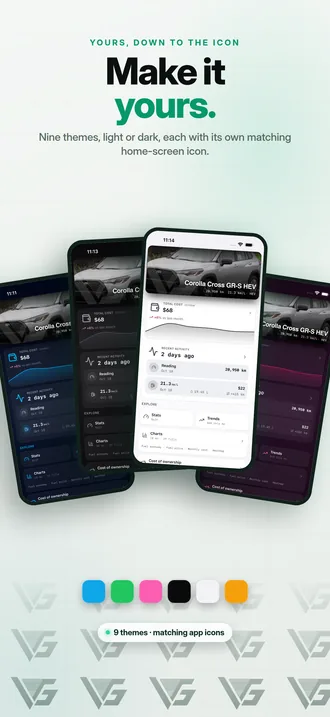
Nine themes and eight Home Screen icons. Three themes and two icons are free; the rest come with Pro.
VGarage works offline and keeps a backup file on your iPhone. Sign in with Apple or Google to sync your garage across devices.
Bring your history from Fuelly, Drivvo, Fuelio and five more apps, checked before anything is saved.
Years of fill-ups shouldn't stay behind in your old app. Export them, choose the file in VGarage, check what it found, and import.
Name it, pick petrol, diesel, hybrid or EV, and add a photo and the plate if you like.
Each fill-up, charge, service or cost takes seconds, or scan the receipt.
Economy, monthly spend, trends and, with Pro, your true cost per kilometre.
No ads. Pro is monthly, yearly or a one-time Lifetime purchase.
₱0
VGarage is an iPhone app that keeps everything about your cars in one place: fill-ups, EV charging, services, running costs and odometer readings. It works out your fuel economy and what each car really costs to run, and shows it in stats, trends and charts.
It's made by The Cloud Grid, works for petrol, diesel, hybrid, plug-in hybrid and electric cars, and keeps several cars in one garage.
Yes. The download is free and the free plan keeps up to 3 cars, with fill-ups, charging, services, costs, scanning, stats, charts, reminders and number coding.
VGarage Pro is optional: ₱110 monthly, ₱660 yearly, ₱990 once for Lifetime.
No. VGarage works offline and without an account; your garage stays on your iPhone, with a backup file in the app's Documents folder that your iPhone's iCloud or computer backups include. Sign in with Apple or Google to sync your garage across devices or share it.
Yes. Log charging with the kWh added, the price per kWh and the total, at home, on public AC or on a DC fast charger, and the charge level you reached. VGarage works out km/kWh. A plug-in hybrid keeps both fuel and charging, each with its own efficiency.
Set your plate and VGarage reads its last digit for Metro Manila's number coding: 1 and 2 on Monday, 3 and 4 on Tuesday, 5 and 6 on Wednesday, 7 and 8 on Thursday, 9 and 0 on Friday, and no coding on weekends. The car shows whether it's coded today.
Yes, from VGarage 1.0.1 (coming in the next update): Fuelly, Drivvo, Fuelio, Simply Auto, Road Trip MPG, aCar, Spritmonitor and LubeLogger. Export from your old app, choose the file in VGarage, check what it found, then import. See the import guide.
Fuel consumption, PMS schedules and what a car really costs, worked out step by step for drivers in the Philippines.
Work out your car's real fuel consumption with the full-tank method: fill up, note the odometer, divide. Worked examples in km/L and L/100 km.
Read the guide →MaintenanceA simple car maintenance schedule: what PMS covers at 5,000, 10,000, 20,000 and 40,000 km, monthly checks you can do yourself, and why your manual comes first.
Read the guide →Running costsFuel is only part of it. Every car ownership cost, from depreciation and maintenance to insurance, registration, parking and tolls, and how to add them up.
Read the guide →
Free for iPhone, coming soon to the App Store.