 VGarage

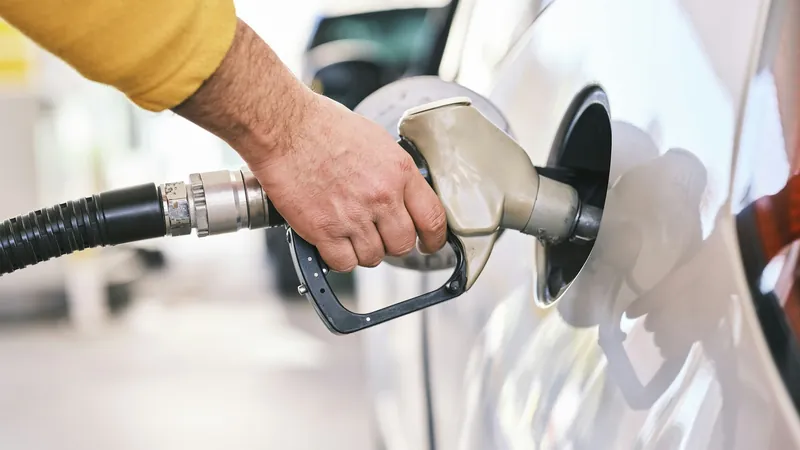
To calculate your car's fuel consumption, fill the tank to full and note the odometer. Drive as usual. At your next fill-up, fill to full again, note the new odometer reading and the litres you put in. Divide the kilometres driven by the litres and you have km/L. Divide the litres by the kilometres and multiply by 100 and you have L/100 km. That's the whole method. Below: a worked example, what to do with partial top-ups, and the small mistakes that make the number jump around.
The short version
- Fill to full, note the odometer. This is your starting point. The litres from this fill don't count.
- At the next full fill: km/L = kilometres driven ÷ litres added. L/100 km = litres added ÷ kilometres driven × 100.
- Partial top-ups in between? Add all their litres together and wait for the next full fill.
- Average over several tanks. One tank is a snapshot; five or six tell you what your car really does.
The full-tank method, step by step
This is the method the US government's FuelEconomy.gov recommends, and it works the same in kilometres and litres. It needs nothing more than the pump display and your odometer.
- Fill the tank completely. Let the pump click off on its own. Write down the odometer reading (or reset your trip meter to zero).
- Drive normally until you need fuel. There's no need to run the tank low.
- Fill the tank completely again, at the same pump if you can. Write down the litres added and the new odometer reading.
- Work out the distance: new odometer minus the old one (or just read the trip meter).
- Divide. Kilometres ÷ litres gives km/L. Litres ÷ kilometres × 100 gives L/100 km.
The key rule: both fills have to be full. FuelEconomy.gov is clear that the calculation is only valid when the tank was filled completely this time and last time. A full tank is the only level you can reliably get back to, which is why the method works.
A worked example
These are example numbers, not a real car:
- Full fill on Monday. Odometer: 24,310 km.
- Next full fill on Saturday. Odometer: 24,812 km. The pump says 40.0 L.
- Distance: 24,812 minus 24,310 = 502 km.
- km/L: 502 ÷ 40.0 = 12.55 km/L.
- L/100 km: 40.0 ÷ 502 × 100 = 7.97 L/100 km.
Notice the 40 litres belong to the 502 km you just drove, not to the drive ahead. The fuel you add today is replacing the fuel you've already burned. That's why the very first fill-up never gives you a number: it's only the starting line.
Partial fill-ups and missed receipts
Real life isn't always full tank to full tank. Sometimes you put in a fixed amount because that's what's in your wallet, or you top up before a long drive. You can still get an accurate figure.
Partial fills: keep a note of the litres from every partial fill, and don't calculate anything yet. At the next full fill, add up all the litres since the last full fill and divide the distance by that total. Example numbers again:
- Full fill at 10,000 km (start).
- Partial fill of 20 L at 10,250 km.
- Full fill of 25 L at 10,600 km.
- Distance: 600 km. Fuel: 20 + 25 = 45 L.
- Result: 600 ÷ 45 = 13.3 km/L, or 45 ÷ 600 × 100 = 7.5 L/100 km.
Missed fill-ups: if you forgot to record a fill somewhere in the stretch, the litres for that stretch are incomplete, and the result will look far better than it really is. Don't guess. Throw that stretch away and start fresh from the next full fill.
km/L or L/100 km: which should you use?
Both describe the same thing, the other way round. km/L tells you how far one litre takes you, so bigger is better. It's what most drivers in the Philippines and much of Asia use. L/100 km tells you how much fuel a set distance takes, so smaller is better. It's the standard in Europe, Australia and Canada, and on many spec sheets.
To switch between them, divide 100 by the number: 100 ÷ 12.5 km/L = 8.0 L/100 km, and 100 ÷ 8.0 L/100 km = 12.5 km/L. If you need miles per gallon too, the conversions are in km/L, L/100 km or MPG?
Common mistakes
- Using the first fill-up. It has no previous full tank to measure from. It only sets the starting odometer.
- Topping off after the click. Squeezing in extra after the pump stops makes "full" a different level each time. Let it click off once and stop.
- Dividing by the wrong litres. Use the litres added at the end of the stretch (plus any partials in between), not the litres from the start.
- Mixing up the trip meter and the odometer. FuelEconomy.gov warns about this one. Pick one and stick with it.
- Judging by one tank. A tank of mostly highway driving and a tank stuck in traffic can differ a lot. Look at the average over several.
- Trusting the dashboard figure blindly. The car's own readout is an estimate. Your pump receipts are the real record, so compare the two now and then.
Why your number won't match the brochure
Official figures come from standard lab tests, made to compare cars fairly, not to predict your commute. FuelEconomy.gov lists the usual reasons real results differ: how and where you drive, the car's condition and maintenance, the fuel itself, and small differences between cars. Heavy traffic, short trips, a full load of passengers and the air-con all add up. If your own figure starts to slide over a few months, that's worth noticing; see why fuel economy drops.
Tips for an accurate number
- Use the same station and pump when you can. Pumps and forecourts that aren't level fill slightly differently.
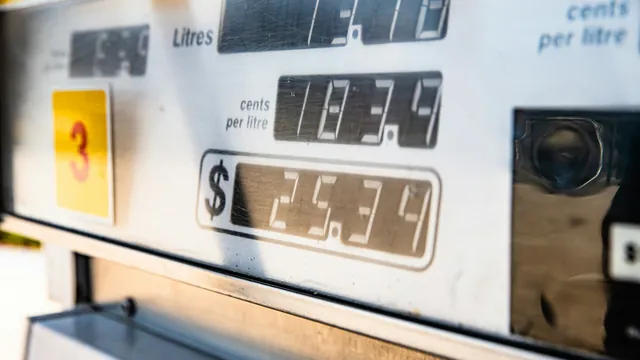
- Write it down at the pump, or take a photo of the pump display and the odometer before you drive off.
- Track every fill-up, even small ones, so partials never leave a gap.
- Check tire pressure regularly. Soft tires quietly cost fuel; see tire pressure and rotation.
Track it with VGarage
VGarage does this arithmetic for you, using the same full-tank to full-tank method. For each fill-up you enter the odometer, the litres and the price per litre, and mark whether you filled the tank. Partial top-ups are counted into the next full fill, and if you mark that a fill-up before it wasn't logged, that stretch is left out so one missed receipt doesn't spoil your average.
- Choose your unit: show economy as km/L or L/100 km.
- Scan instead of typing: point the camera at the receipt or the pump display and VGarage fills in the numbers, on the device.
- See the trend: stats and charts show your economy and price per litre over time.
The VGarage FAQ explains how fuel economy is worked out, and what your car really costs per kilometre is a separate question, covered in cost per kilometer.
Track it with VGarage
VGarage keeps every fill-up, service and cost for all your cars on iPhone: scan the pump and the receipt, get service reminders by date or odometer, and see what each car really costs to run.