 VGarage
A Fuelly alternative for iPhone: free to start
VGarage is a free iPhone app for fuel, EV charging, services and running costs. If your fill-ups are in Fuelly, you can bring them across.

 Free for iPhone · iOS 15 or later
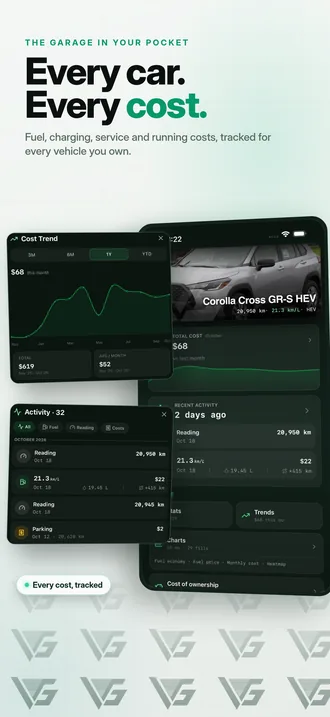
What VGarage offers
- Fill-ups with scanning of the receipt, the pump and the odometer
- Fuel economy in km/L or L/100km
- EV charging in kWh, and plug-in hybrids with both
- Services, running costs and odometer readings
- Stats, charts and reminders by date or odometer
- Metro Manila number coding
- Works offline, no account needed
How your Fuelly history comes across
VGarage reads the export files that Fuelly makes for you. From the Fuelly app, open Settings and tap Export Data. From fuelly.com, export a vehicle's fuel-ups and services from its Log Book.
Fill-ups come across with the date, odometer, volume, price, total and whether it was a full or partial fill, along with missed fill-ups, brand and location, notes and tags. Services and your vehicles come across too. Entries VGarage already has are skipped, so importing the same file twice adds nothing.
Importing is checked first
Before anything is saved, a check screen shows the units, each car with its dates, money spent and average economy, and any warnings. Moving from another app? VGarage can import your history from Fuelly, Drivvo, Fuelio and five more apps.
Details for every supported app are in the import guide.
Free to start
The free plan keeps up to 3 cars with fill-ups, charging, services, costs, scanning, stats, charts, reminders and number coding. VGarage Pro is optional: monthly, yearly or a one-time Lifetime purchase, priced in your own currency on the App Store.
VGarage is made by The Cloud Grid and isn't affiliated with Fuelly; Fuelly is a trademark of its owner. VGarage is on the App Store tells the story behind it.
Questions
Can I move my Fuelly history to VGarage?
Yes. Export from Fuelly, choose the file in VGarage, check what it found, then import. Nothing is saved until you have checked it. The steps are on the Fuelly import page.
What if my Fuelly data is in miles and gallons?
The check screen shows the units VGarage found and lets you change them. VGarage converts distances and volumes to the units in your VGarage Preferences. Money amounts are copied as they are.
Is VGarage free?
The free plan keeps up to 3 cars with fill-ups, charging, services, costs, scanning, stats, charts, reminders and number coding. VGarage Pro is optional: monthly, yearly or a one-time Lifetime purchase, priced in your own currency on the App Store.
Is there an Android version?
No. VGarage is for iPhone, with iOS 15 or later.
Try it on your iPhone
Free on the App Store, no account needed. Questions? Ask us.