VGarage

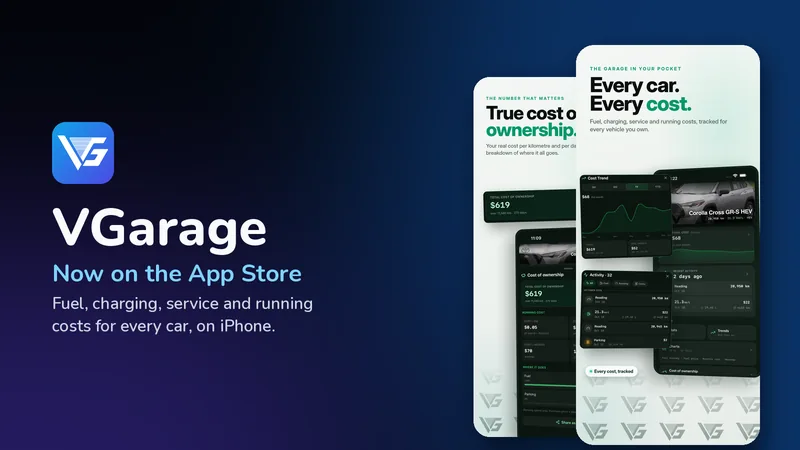
VGarage is now on the App Store. It's a free iPhone app that keeps everything about your cars in one place: fuel and charging, services, running costs, and what each car really costs you per kilometre. You can log a fill-up by typing it in, or by pointing your camera at the receipt, the pump or the odometer. VGarage 1.0 went live on Monday 23 November 2026.
The short version
- Free to download for iPhone, on iOS 15 or later. No account needed: it works offline.
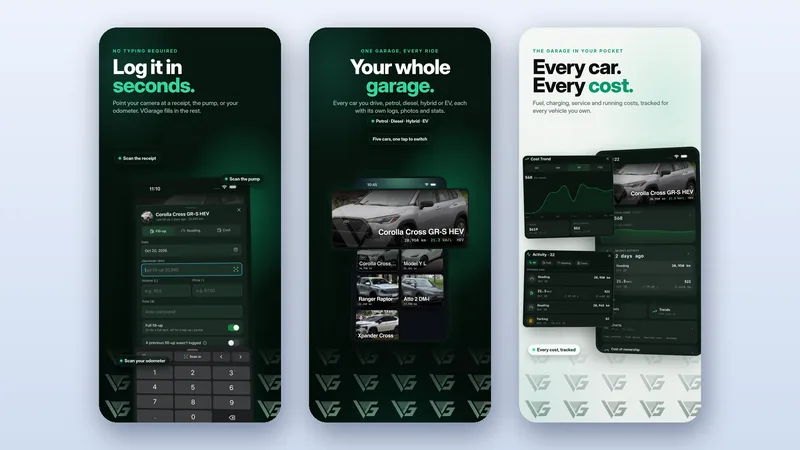
- Log a fill-up in seconds. Type the odometer, volume and price, or scan the receipt, the pump or the odometer.
- Petrol, diesel, hybrid, plug-in hybrid and electric. Fuel economy in km/L or L/100 km, and EV efficiency in km/kWh.
- Every car in one garage, each with its own logs, photos and stats. Up to 3 cars are free.
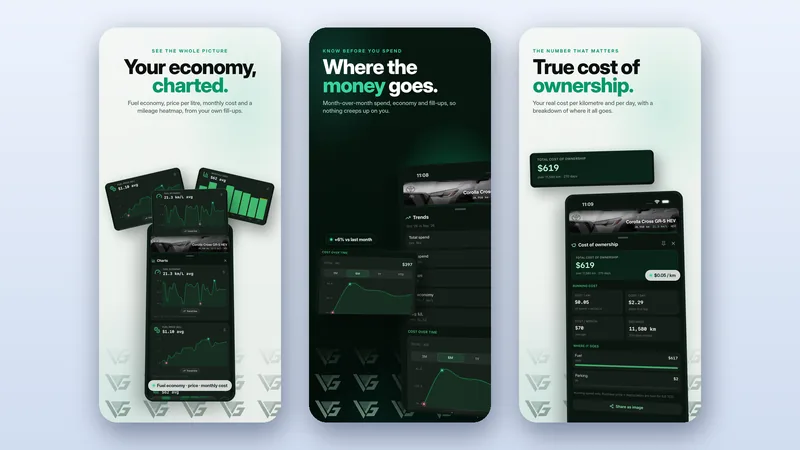
- Charts and costs: fuel economy, price per litre, monthly spend and a mileage heatmap.
- Service and renewal reminders by date or by odometer.
- Metro Manila number coding on a Home Screen widget, with optional alerts.
Log a fill-up in seconds
Open a car, choose Fill-up, and enter the odometer, the volume and the price per litre. The total works itself out. Switch Full fill-up off for a top-up. If someone else filled the tank and you never logged it, turn on A previous fill-up wasn't logged, and VGarage skips that tank's km/L so your average stays accurate.
Don't want to type? Point the camera at the receipt, the pump display or the odometer and VGarage fills in the rest. On iPhone the scan runs on the device, so the photo stays on your phone. The guide to scanning fuel receipts shows how it works, and how to calculate fuel consumption explains the full-tank method behind the numbers.
Driving a hybrid or an EV? Log charging in kWh, at home, on public AC or on a DC fast charger. A plug-in hybrid keeps both, with km/L and km/kWh side by side.
Your whole garage
Every car you drive gets its own logbook, photos and stats, and you switch between them with a tap. The free version keeps up to 3 cars with 1 photo each. VGarage Pro lifts that to all your cars with up to 5 photos each, and adds garage sharing: invite family by email as an editor or a viewer, so everyone logs into the same garage. Sharing needs you to sign in.
See where the money goes
VGarage turns your own fill-ups into charts you can read at a glance: fuel economy, price per litre, monthly spend and a mileage heatmap. Any chart can be shared as an image. Services, tires, registration, insurance, parking and tolls all count too, by car and by category, so the picture is the whole cost of the car and not only the fuel.
With Pro you also get the true cost of ownership: your real running cost per kilometre and per day, with a breakdown of where it goes. If you want the thinking behind it, read the true cost of owning a car and how to work out your cost per kilometre.
Reminders and number coding
Set a reminder for an oil change, a registration renewal or an insurance date, by date or by odometer, and repeat it every few months or kilometres. Date reminders notify you on your iPhone. The guide to service reminders by odometer has the details.
In Metro Manila? Add your plate and VGarage shows whether the car is coded today, in the app and on a small or medium Home Screen widget (iOS 17 or later), with optional alerts the night before and that morning. The number coding explainer covers how the scheme works.
Free, and what Pro adds
VGarage is free to download, and the free version is a full logbook, not a trial. It gives you up to 3 cars, fill-ups, charging, services, costs and odometer readings, scanning, stats and charts, reminders and number coding, plus 3 themes, 2 app icons and 1 photo per car.
VGarage Pro adds all your cars, the true cost of ownership, nearby gas stations and EV chargers, garage sharing, all 9 themes and 8 Home Screen icons, and up to 5 photos per car. Pro is monthly, yearly or a one-time Lifetime purchase. Prices vary by region and are shown in your local currency, and the app shows the exact price before you confirm.
Your data stays with you
VGarage works offline and needs no account to start, and it keeps a backup file on your iPhone. Sign in with Apple or Google if you want your garage synced across devices or shared with family. The privacy policy says exactly what is stored and when.
What's next
Update, 24 November: import from your old app is out in VGarage 1.0.1. You can bring your history from Fuelly, Drivvo, Fuelio and five more apps, checked before anything is saved. What's new in VGarage 1.0.1 has the steps, and the import page lists every app and how to export from each one.
Something missing, or something not working? Tell us on the support page. The FAQ answers the common questions.
Track it with VGarage
VGarage keeps every fill-up, service and cost for all your cars on iPhone: scan the pump and the receipt, get service reminders by date or odometer, and see what each car really costs to run.