VGarage

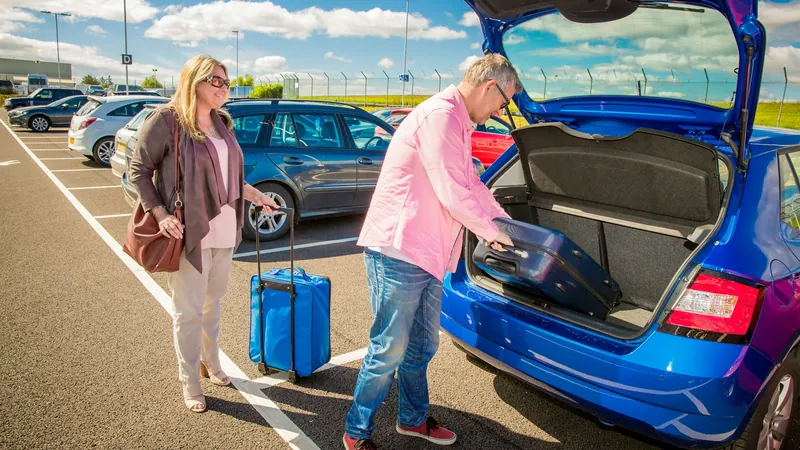
The simplest way to track several family cars is to keep them all in one place that everyone can log to. In VGarage that's a shared garage: one person signs in, puts every car in the garage, and invites the rest of the family by email as an editor (who logs fill-ups, services and costs) or a viewer (who can see them). Everyone who joins signs in too, and from then on a fill-up logged on one iPhone shows up for everyone. Here's how to set it up and the house rules that keep the numbers honest.
The short version
- One garage, every car. Each car keeps its own logs, stats and reminders.
- Sign in with Apple or Google. Sharing needs an account; without one, the garage stays on one iPhone.
- Invite by email as an editor or a viewer.
- Agree on a few rules: odometer on every entry, full or partial marked honestly, one person logs each fill-up.
Setting up a family garage
Step 1: set up the garage
- Sign in. Choose Sign in with Apple or Google. Signing in also syncs the garage across your own devices.
- Add each car. Give each one a clear name ("Mom's Vios", "Family van") so nobody logs to the wrong car. Petrol, diesel, hybrid, plug-in hybrid and electric cars all fit in the same garage.
- Add the plate to each car if you drive in Metro Manila. VGarage reads its last digit for number coding, and each car shows whether it's coded today. Handy when you're deciding which car to take on a weekday.
- Bring in old history if you have it. Coming from another app? See import from another app.
Step 2: invite the family
Invite each person by email and pick a role:
- Editor: for anyone who drives and pays for things. Editors log fill-ups, services and costs to the shared garage.
- Viewer: for someone who wants to see what's going on without changing anything, such as a parent who helps pay for the car or a family member who keeps the budget.
The person you invite signs in to VGarage with Apple or Google to join. VGarage keeps the invited person's email address and role so they can join, as the privacy policy explains. After that, the garage syncs between everyone in it.
Step 3: agree on the house rules
A shared log is only as good as the entries in it. A few simple rules go a long way:
- Enter the odometer every time. Fuel economy and odometer reminders both depend on it.
- Mark full or partial honestly. VGarage works out fuel economy from full tank to full tank, so a partial top-up marked as full throws off the average.
- Mark missed fill-ups. If someone forgot to log a fill-up, the next person to fill up marks that a fill-up before theirs wasn't logged. That stretch is left out instead of spoiling the average.
- The person at the pump logs it. Scanning the receipt or the pump display takes a few seconds and avoids the "I thought you logged it" problem.
- Use the same categories. Agree that toll top-ups go under tolls and the monthly parking slot under parking, and add your own categories for anything else. See car expense categories worth tracking.

Reminders for one car or the whole garage
Reminders can belong to one car or to the whole garage, by date, by odometer, or both, and they can repeat. Some ideas for a family garage:
- Per car: oil changes and tire rotations by odometer, registration and insurance renewals by date.
- Whole garage: date reminders that apply to everything, such as checking all the tires and batteries before the holidays.
Date reminders notify you on your iPhone. More on setting good intervals in service reminders by kilometres.
Common mistakes
- Logging to the wrong car. Clear names and a quick look before saving fix this.
- Two people logging the same fill-up. Stick to the rule: whoever was at the pump logs it.
- Inviting everyone as an editor. If someone only needs to look, make them a viewer.
- Expecting sharing without signing in. Without an account the garage lives only on that iPhone. Everyone who shares needs to sign in.
- Leaving out the small costs. Parking, tolls and car washes add up across a few cars.
Tips for a family garage
- Let location help. If you allow location access, VGarage pins where each fill-up or cost was added and suggests the nearest stations. You can leave the pin out with a tap, and location is never collected in the background.
- Review once a month. A five-minute look at the charts shows which car is costing more and whether anything was missed.
- Keep the paperwork too. The log tells you what happened; the official receipts and registration papers prove it.
Track it with VGarage
To sum up the setup in VGarage: sign in with Apple or Google, add every car with its name and plate, invite your family by email as editors or viewers, and set reminders for each car and for the whole garage. Then everyone logs what they do and everyone sees the same numbers. The VGarage FAQ has more on sign-in, sync and where your data is kept.
Track it with VGarage
VGarage keeps every fill-up, service and cost for all your cars on iPhone: scan the pump and the receipt, get service reminders by date or odometer, and see what each car really costs to run.